

You’re a developer who has to write a user migration tool for a client. The right answer is to the use the surprisingly simple Batch API. Everything is going great. Except that for every migration, there are seven (seemingly random) users that aren’t migrated. Hmmm.... What is going on and how do you find out? Batch API is an abstraction layer for performing tasks, in this case migrating a block of users. Instead of loading a drupal page that runs a function to migrate all users, it loads a page that makes AJAX calls to run that function. We do this to avoid PHP timeouts and provide a better user experience. Instead of an endlessly loading white page we can see a themed page that includes a progress bar. 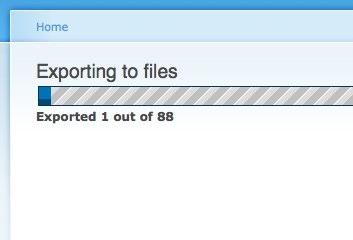 However, when we use an abstraction layer, we lose knowledge of what is happening below. It's just how that works. So how do we debug this kind of work? Using dprint_r() or dpm() might help here. You might arrive at the next page load with all your objects and debug messages printed to the screen, but you might not. It's unreliable enough for me to seek a better solution. And the indispensable devel module provides. Enter dd(). dd() writes strings, arrays and objects to a temporary file instead of to the drupal webpage. That means you don’t have to wait for the batch process to finish to see what is happening. It’s also means your webpage's load time and html are intact. You use dd() just like var_dump() or dpm().
 uid); // print objects and arrays dd($user); dd(unserialize($user['data'])); ?> On most mac or linux systems this will be written to /tmp/drupal_debug.txt. The command jskulski@instrument ~ $ tail -f /tmp/drupal_debug.txt will show the last few lines of that file and any new lines that are written to the file. On windows it should write to c:\windows\temp. To be sure you can print the output of file_directory_temp() You should see a result like: 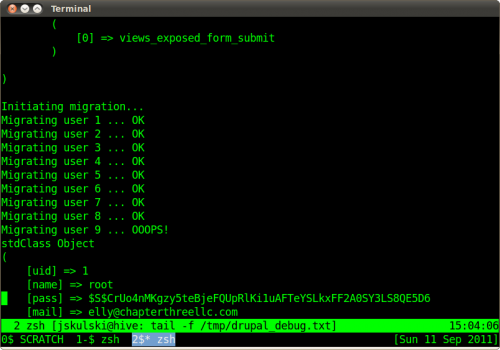 Debugging is a part of our job and any programmer would do well to invest in understanding their debugging tools. After all, as Dijkstra said, "If debugging is the process of removing bugs, then programming must be the process of putting them in."
September 12, 2011